In this post, I am going to discuss Apache Spark and how you can create simple but robust ETL pipelines in it. You will learn how Spark provides APIs to transform different data format into Data frames and SQL for analysis purpose and how one data source could be transformed into another without any hassle.
What is Apache Spark?
Apache Spark is an open-source distributed general-purpose cluster-computing framework. Spark provides an interface for programming entire clusters with implicit data parallelism and fault tolerance.
In short, Apache Spark is a framework which is used for processing, querying and analyzing Big data. Since the computation is done in memory hence it’s multiple fold fasters than the competitors like MapReduce and others. The rate at which terabytes of data is being produced every day, there was a need for a solution that could provide real-time analysis at high speed. Some of the Spark features are:
- It is 100 times faster than traditional large-scale data processing frameworks.
- Easy to use as you can write Spark applications in Python, R, and Scala.
- It provides libraries for SQL, Steaming and Graph computations.
Apache Spark Components
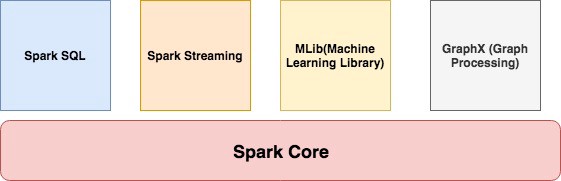
Spark Core
It contains the basic functionality of Spark like task scheduling, memory management, interaction with storage, etc. Get more from ETL Testing Training
Spark SQL
It is a set of libraries used to interact with structured data. It used an SQL like interface to interact with data of various formats like CSV, JSON, Parquet, etc.
Spark Streaming
Spark Streaming is a Spark component that enables the processing of live streams of data. Live streams like Stock data, Weather data, Logs, and various others.
MLib
MLib is a set of Machine Learning Algorithms offered by Spark for both supervised and unsupervised learning
GraphX
It is Apache Spark’s API for graphs and graph-parallel computation. It extends the Spark RDD API, allowing us to create a directed graph with arbitrary properties attached to each vertex and edge. It provides a uniform tool for ETL, exploratory analysis and iterative graph computations.
Spark Cluster Managers
Spark supports the following resource/cluster managers:
- Spark Standalone — a simple cluster manager included with Spark
- Apache Mesos — a general cluster manager that can also run Hadoop applications.
- Apache Hadoop YARN — the resource manager in Hadoop 2
- Kubernetes — an open source system for automating deployment, scaling, and management of containerized applications.
Setup and Installation
Download the binary of Apache Spark from here. You must have Scala installed on the system and its path should also be set.
For this tutorial, we are using version 2.4.3 which was released in May 2019. Move the folder in /usr/local
mv spark-2.4.3-bin-hadoop2.7 /usr/local/spark
And then export the path of both Scala and Spark.
#Scala Path
export PATH="/usr/local/scala/bin:$PATH"#Apache Spark path
export PATH="/usr/local/spark/bin:$PATH"
Invoke the Spark Shell by running the spark-shell command on your terminal. If all goes well, you will see something like below:

It loads the Scala based shell. Since we are going to use Python language then we have to install PySpark.
pip install pyspark
Once it is installed you can invoke it by running the command pyspark in your terminal:
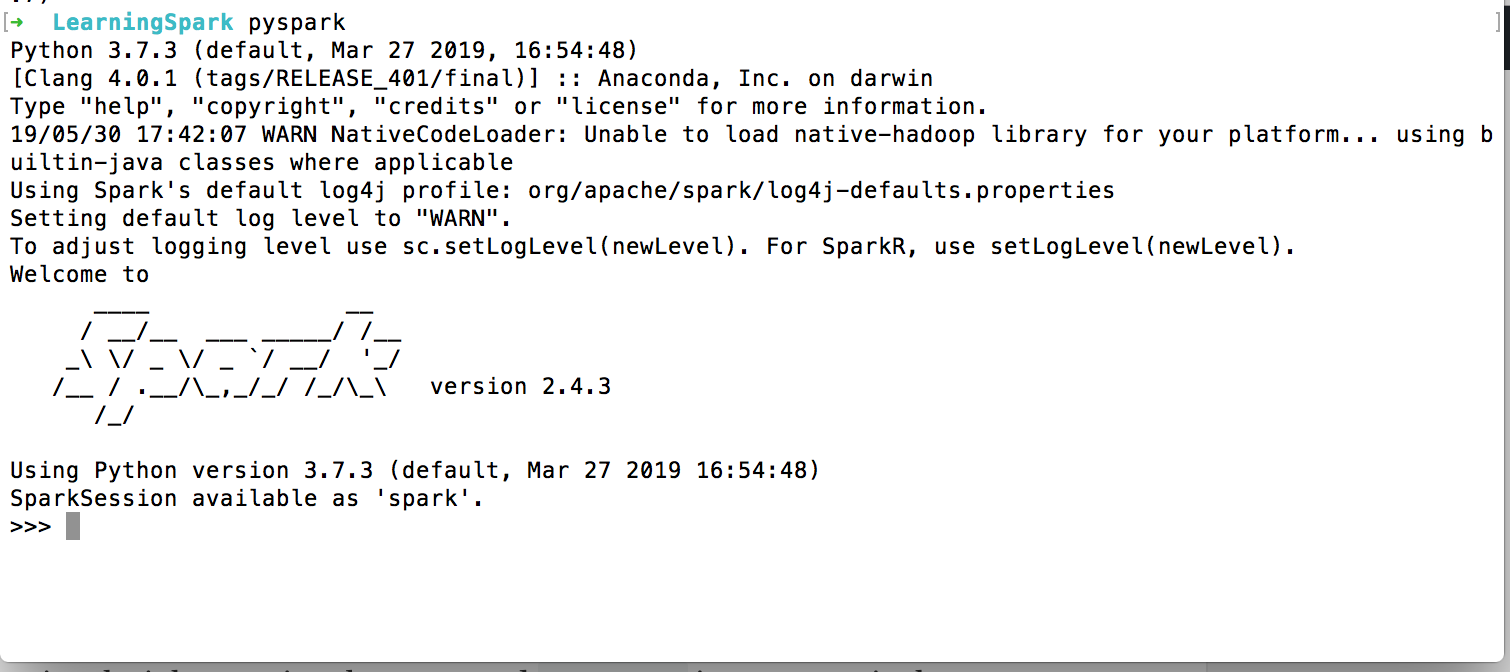
You find a typical Python shell but this is loaded with Spark libraries.
Development in Python
Let’s start writing our first program.
from pyspark.sql import SparkSession
from pyspark.sql import SQLContextif __name__ == '__main__':
    scSpark = SparkSession \
        .builder \
        .appName("reading csv") \
        .getOrCreate()
We have imported two libraries: SparkSession and SQLContext.
SparkSession is the entry point for programming Spark applications. It let you interact with DataSet and DataFrame APIs provided by Spark. We set the application name by calling appName. The getOrCreate() method either returns a new SparkSession of the app or returns the existing one.
To get in-depth knowledge, enroll for a live free demo on ETL Testing Certification
 MongoDB Programming